Download Indicators Vanish after app refresh #526

Open
opened 2026-04-24 23:27:33 +02:00 by adam · 1 comment
Owner

Originally created by @raviwarrier on GitHub (Apr 16, 2023).

Steps to reproduce

  1. Start downloading a book
  2. Connect phone to Bluetooth speaker: app refreshes
  3. Check for download indicator: it's missing

Expected behaviour

The download Indicators should not disappear.

Actual behaviour

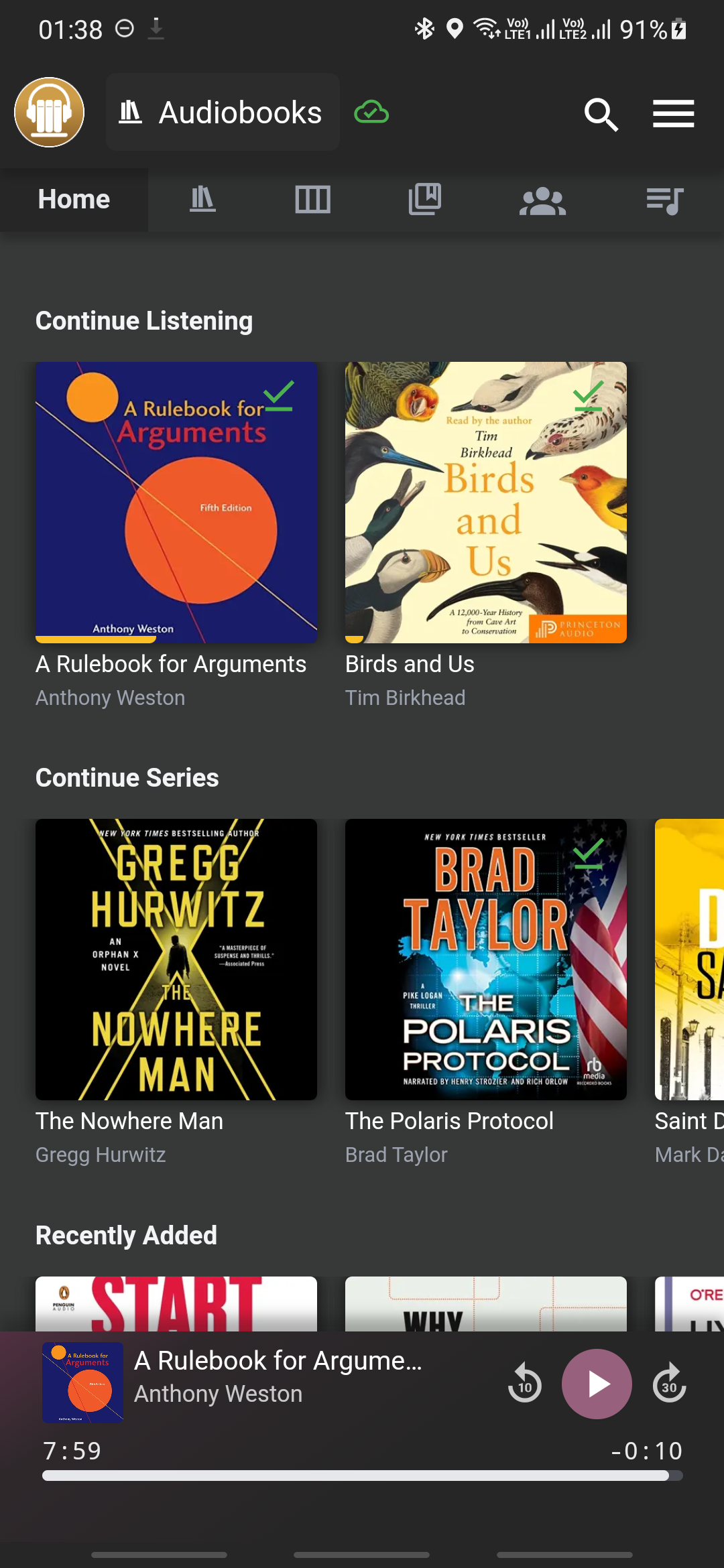
Everytime my phone connects to a Bluetooth device, the app refreshes (goes back to the home screen and reloads the screen). Normally, it's just a minor inconvenience since I have to go back into the book to get to the player screen by pressing 'play'again.

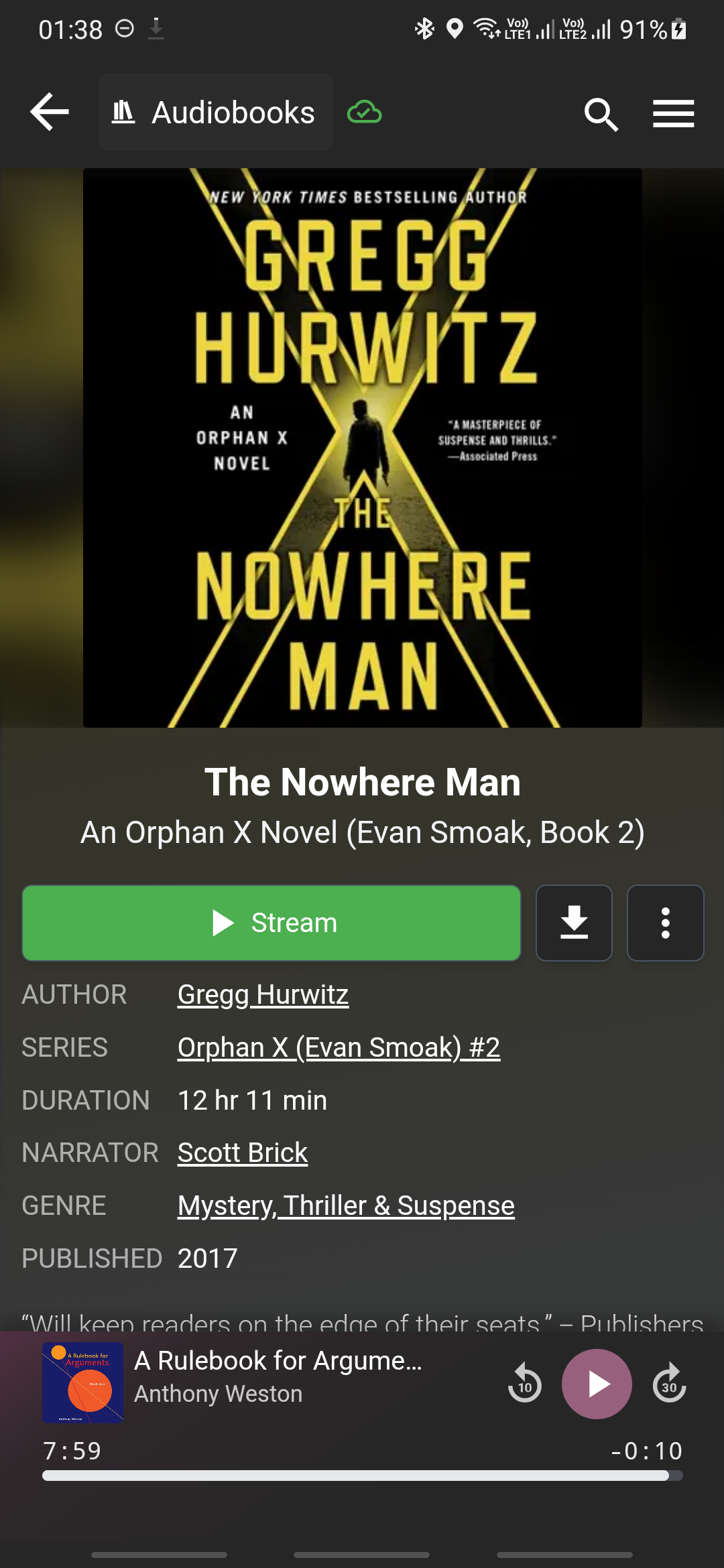
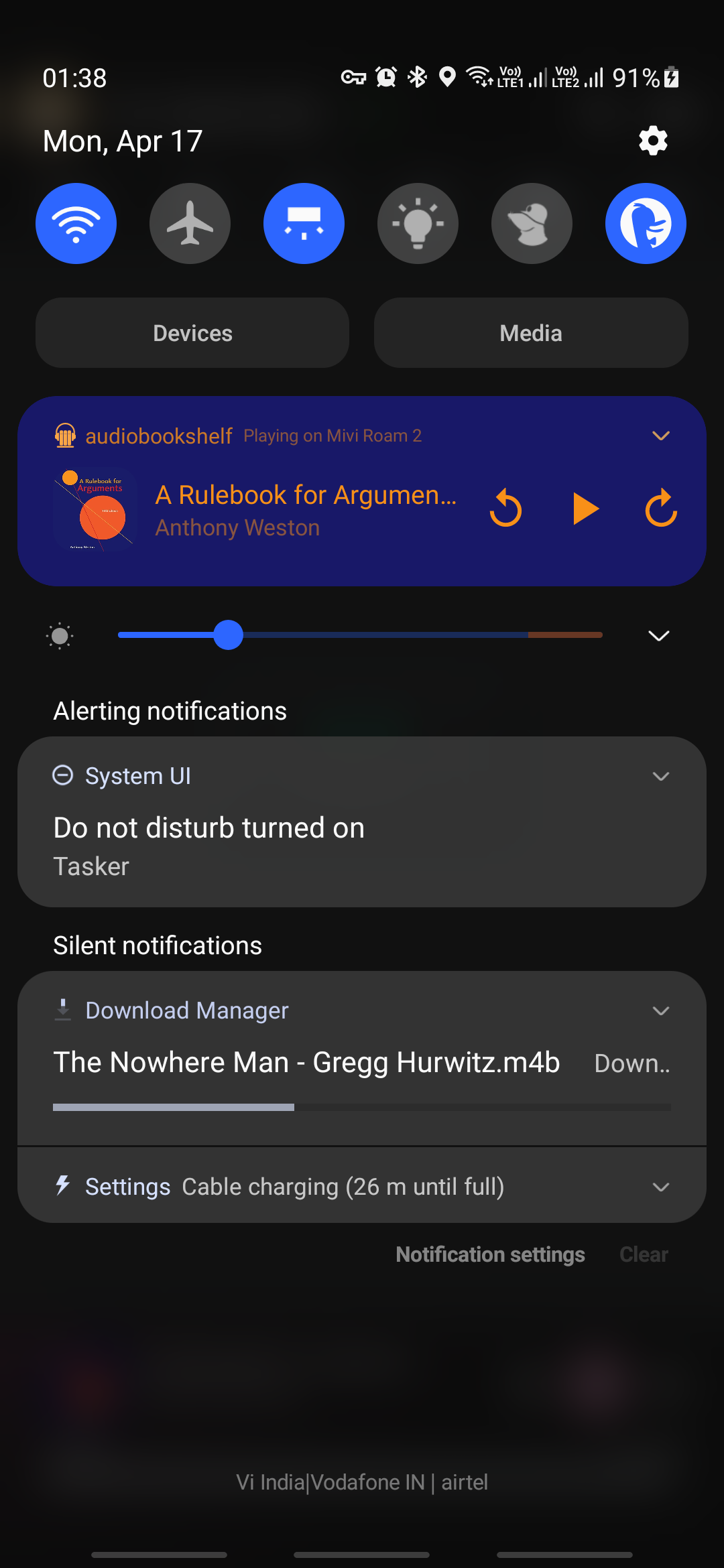
But I just observed that the download progress indicator on the top right no longer is visible. And in the book info screen (where one presses the download button) the button doesn't indicate that the book is being downloaded, but shows the icon to download (as if it's not being downloaded presently).

See screenshots for a clearer explanation.

#3
Screenshot_20230417-013850_audiobookshelf.png

#2
Screenshot_20230417-013839_audiobookshelf.png

#1
Screenshot_20230417-013827_audiobookshelf.png

Environment data

Audiobookshelf Version: 0.9.63-beta

  • [yes] Android App?
  • iOS App?

Android Issue

Android version: 11

Device model: Samsung M30s

Stock or customized system: Samsung stock

iOS Issue

iOS Version:

iPhone model:

Originally created by @raviwarrier on GitHub (Apr 16, 2023). ### Steps to reproduce 1. Start downloading a book 2. Connect phone to Bluetooth speaker: app refreshes 3. Check for download indicator: it's missing ### Expected behaviour The download Indicators should not disappear. ### Actual behaviour Everytime my phone connects to a Bluetooth device, the app refreshes (goes back to the home screen and reloads the screen). Normally, it's just a minor inconvenience since I have to go back into the book to get to the player screen by pressing 'play'again. But I just observed that the download progress indicator on the top right no longer is visible. And in the book info screen (where one presses the download button) the button doesn't indicate that the book is being downloaded, but shows the icon to download (as if it's not being downloaded presently). See screenshots for a clearer explanation. #3 ![Screenshot_20230417-013850_audiobookshelf.png](https://user-images.githubusercontent.com/42061703/232339688-d545cb48-dcb3-4b87-8c35-c0d5740e0c41.png) #2 ![Screenshot_20230417-013839_audiobookshelf.png](https://user-images.githubusercontent.com/42061703/232339689-70f0e63b-adb4-494c-a39b-e4565c938e20.png) #1 ![Screenshot_20230417-013827_audiobookshelf.png](https://user-images.githubusercontent.com/42061703/232339687-1eeab4b0-4efc-4234-824c-37e7d4d65188.png) ### Environment data Audiobookshelf Version: 0.9.63-beta - [yes] Android App? - [ ] iOS App? #### Android Issue Android version: 11 Device model: Samsung M30s Stock or customized system: Samsung stock #### iOS Issue iOS Version: iPhone model:
adam added the bug label 2026-04-24 23:27:33 +02:00
Author
Owner

@jurgenhaas commented on GitHub (Apr 24, 2023):

I'd like to add, that after a book or podcast has been downloaded, there is no indication about that in the episodes list. Instead, there is another button to download the episode (talking about podcasts here) again. Would be great to remove that button for locally available episodes and replace that with the green tick.

@jurgenhaas commented on GitHub (Apr 24, 2023): I'd like to add, that after a book or podcast has been downloaded, there is no indication about that in the episodes list. Instead, there is another button to download the episode (talking about podcasts here) again. Would be great to remove that button for locally available episodes and replace that with the green tick.
Sign in to join this conversation.
1 Participants
Notifications
Due Date
No due date set.
Dependencies

No dependencies set.

Reference: starred/audiobookshelf-app#526