mirror of
https://github.com/UrbanApps/Armchair.git
synced 2026-09-09 19:32:04 +02:00
1
Fix the ITMS 9000 Armchair.bundle Error
coneybeare edited this page 2014-10-28 10:17:49 -07:00
For some setups, upon submission or validation by the App Store you may see this error:
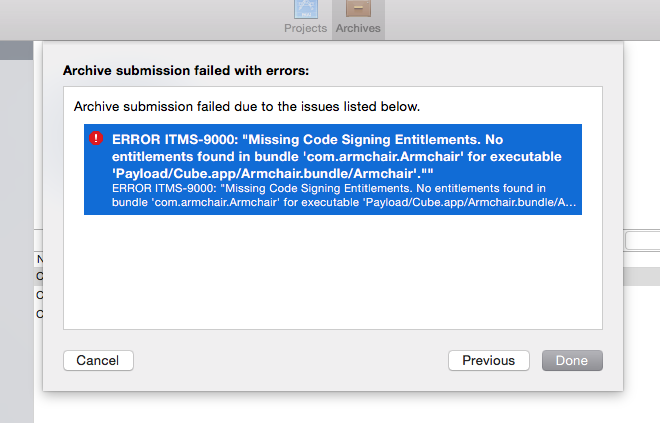
Don't fret... the solution is simple.
Despite the bundle being localization files only, Xcode decided it wanted to insert an info.plist file into the compiled bundle. You simply need to remove this file after building your app, but before submitting.
- Right-click on your archived app in the Xcode Organizer pane and select
Show in Finder - In Finder, Right-click the
xcarchivefile and selectShow Package Contents - Drill down to
Products>Applications>YOUR.app, Right-click and selectShow Package Contents - Find
Armchair.bundle, Right-click and selectShow Package Contents - Find the info.plist file and delete it.
- Go back to Xcode Organizer and Re-Validate/Re-Submit your archived app.