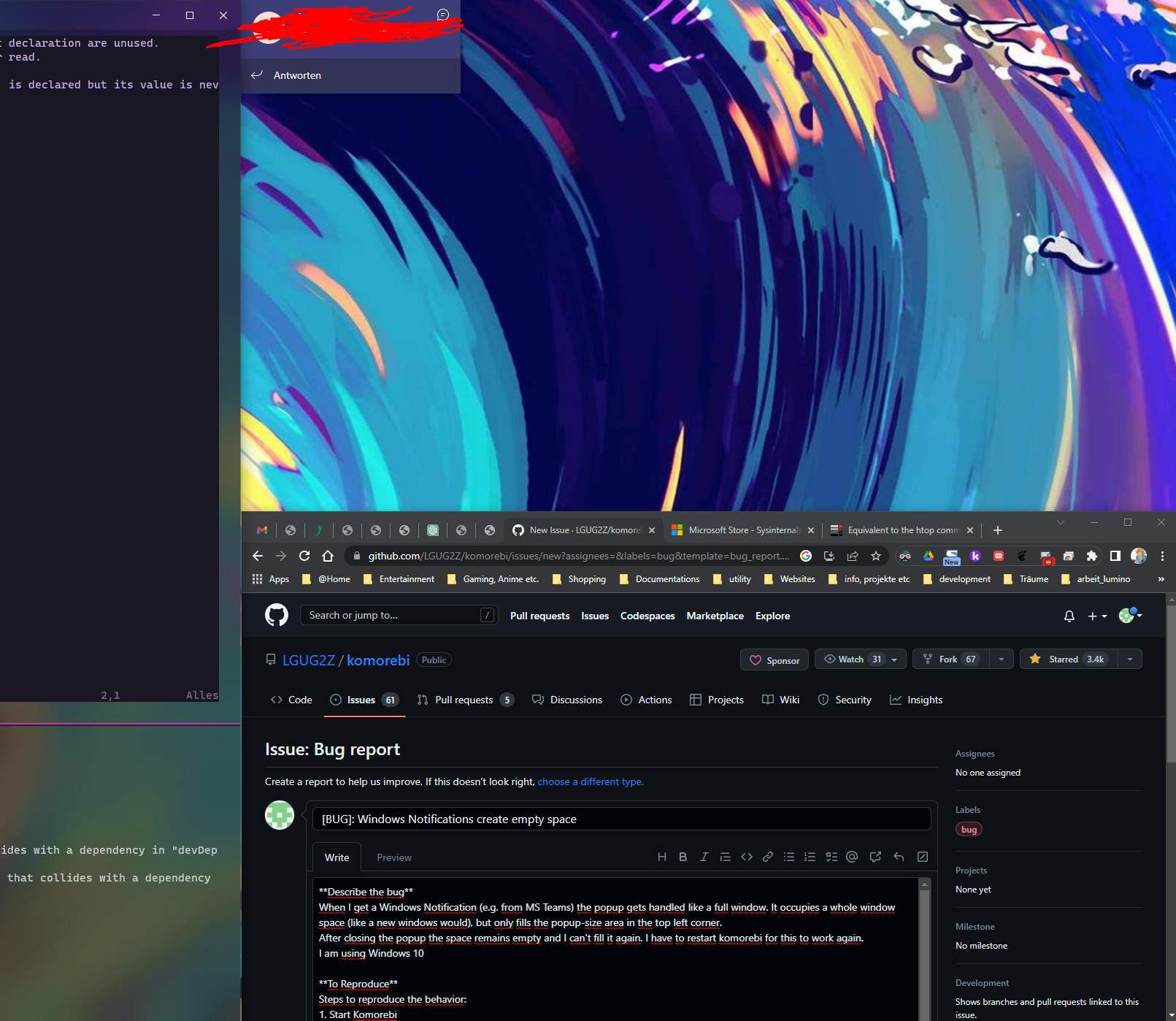
[BUG]: Windows Notifications create empty space #198

Closed
opened 2026-01-05 14:48:55 +01:00 by adam · 5 comments
Owner

Originally created by @Georg97 on GitHub (Apr 24, 2023).

Describe the bug
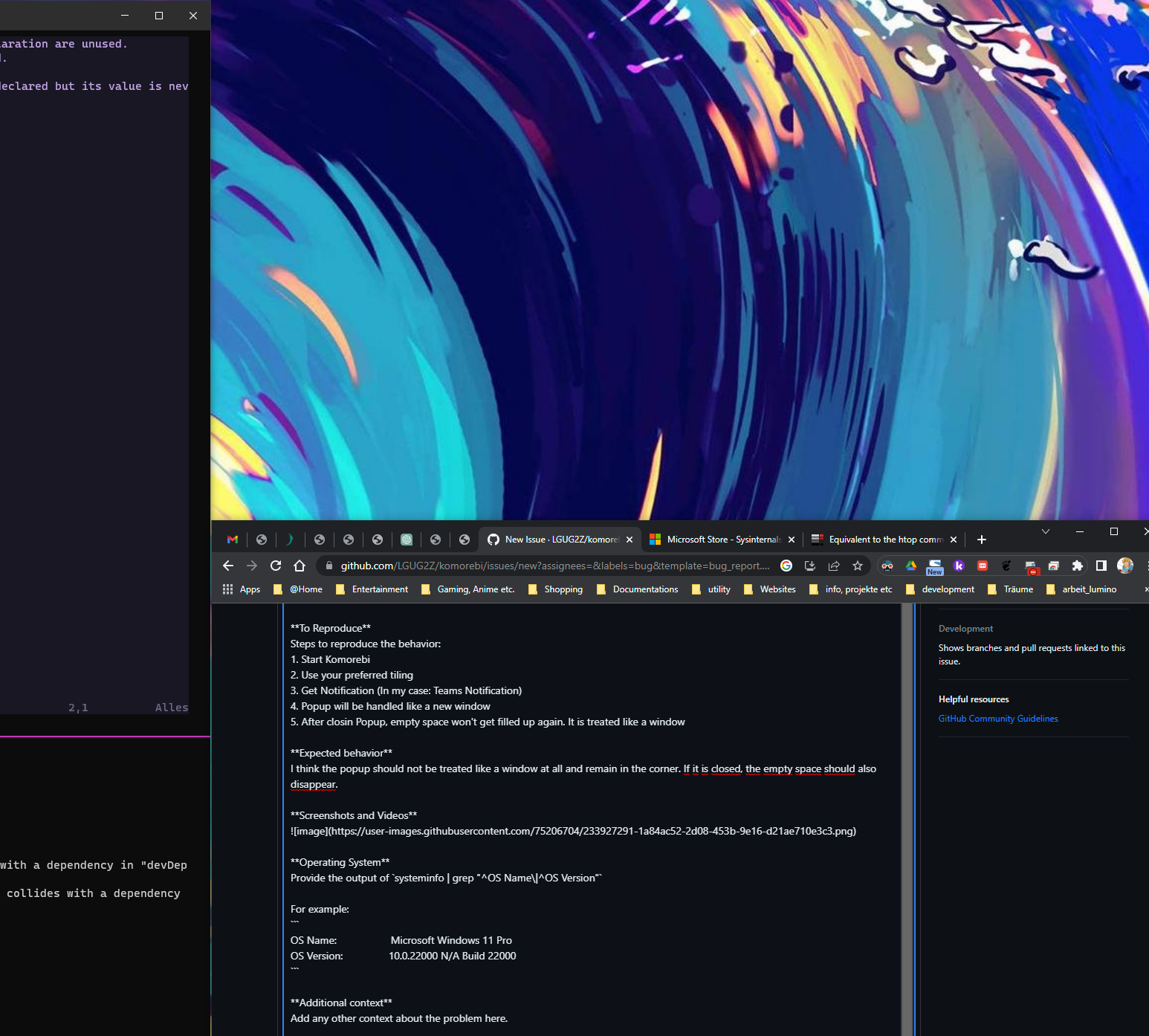
When I get a Windows Notification (e.g. from MS Teams) the popup gets handled like a full window. It occupies a whole window space (like a new windows would), but only fills the popup-size area in the top left corner.
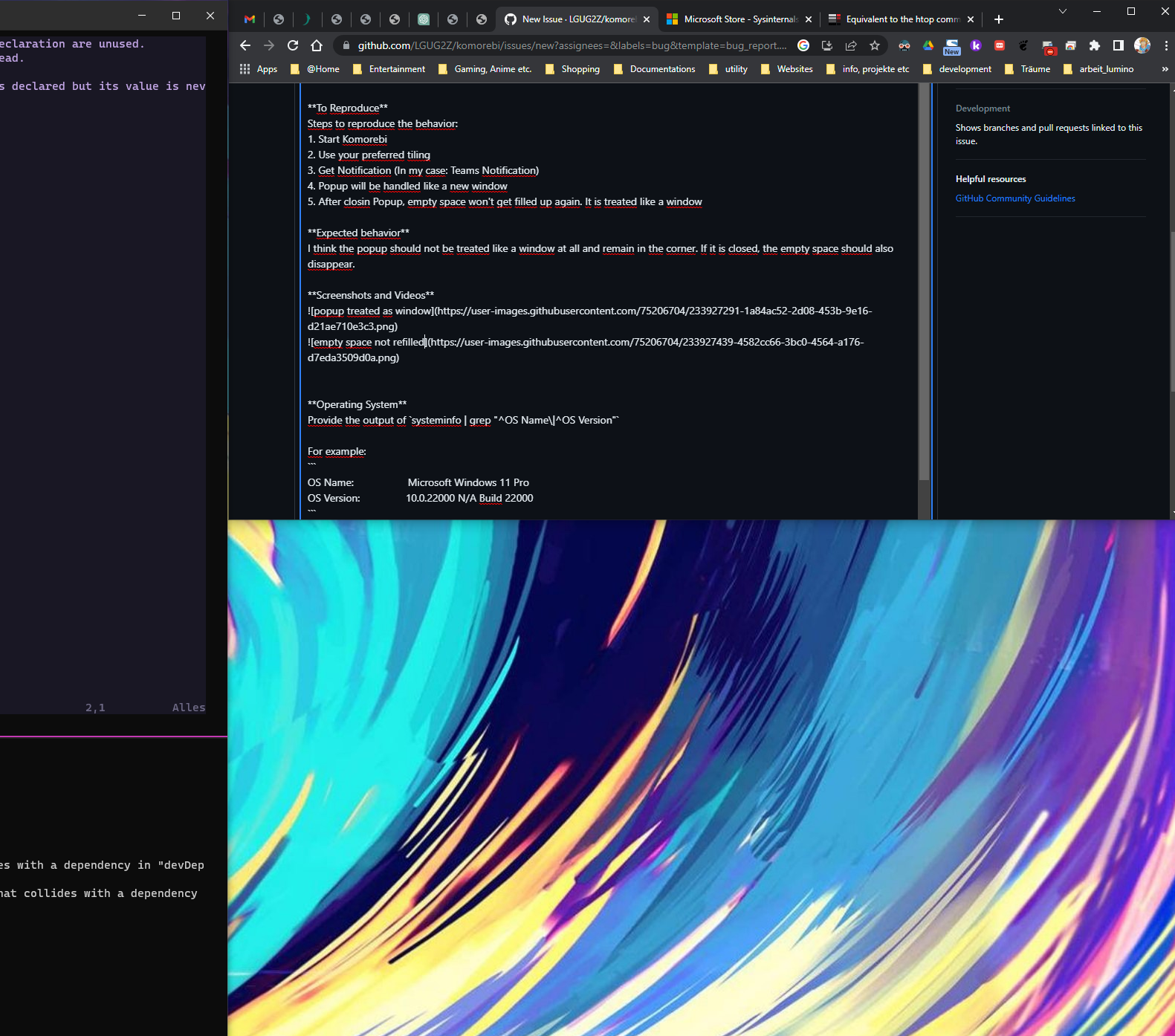
After closing the popup the space remains empty and I can't fill it again. I have to restart komorebi for this to work again.

To Reproduce
Steps to reproduce the behavior:

  1. Start Komorebi
  2. Use your preferred tiling
  3. Get Notification (In my case: Teams Notification)
  4. Popup will be handled like a new window
  5. After closin Popup, empty space won't get filled up again. It is treated like a window

Expected behavior
I think the popup should not be treated like a window at all and remain in the corner. If it is closed, the empty space should also disappear.

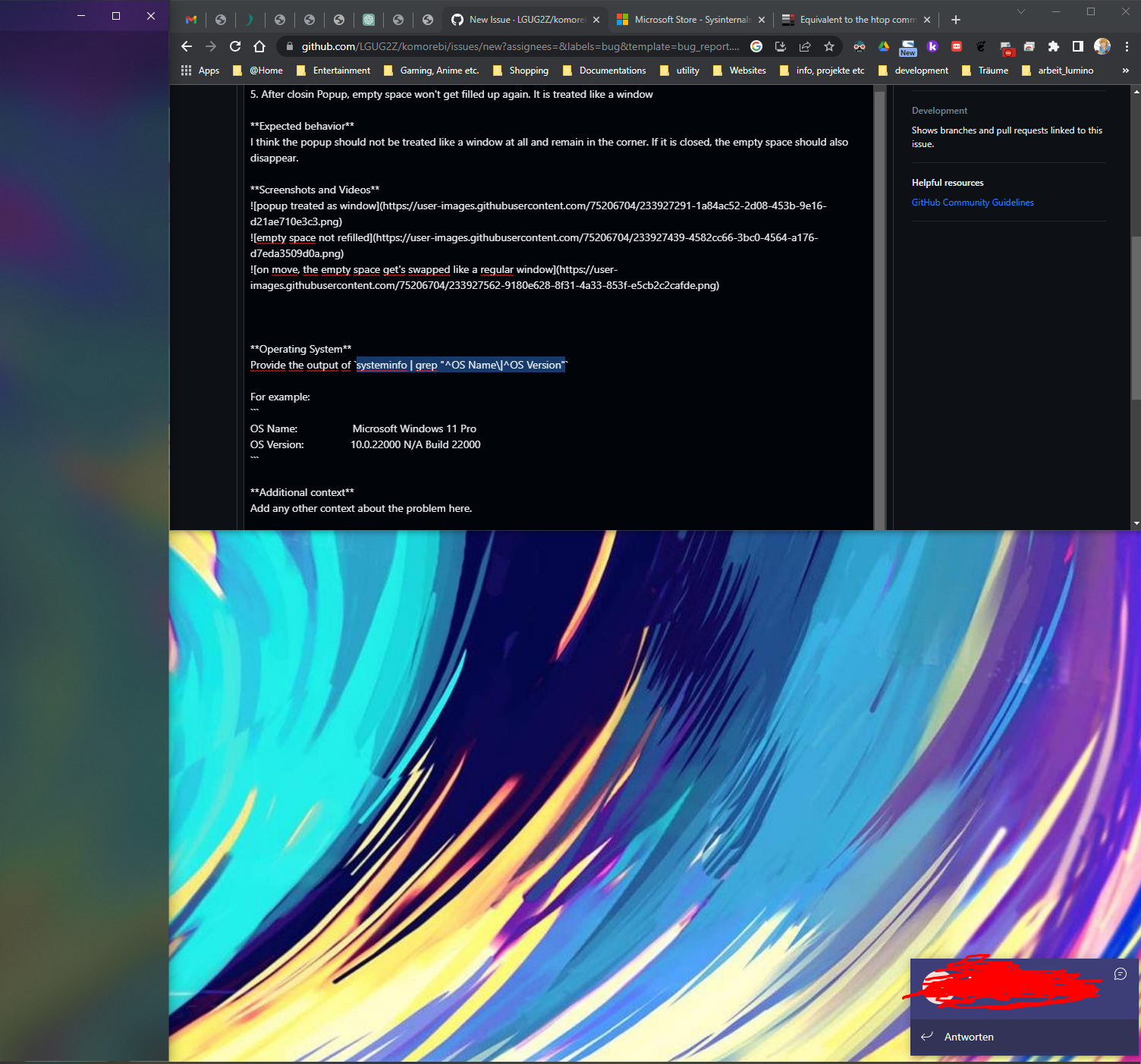
Screenshots and Videos
popup treated as window
empty space not refilled
on move, the empty space get's swapped like a regular window
after closing the popup remains in the corner

Operating System
Provide the output of systeminfo | grep "^OS Name\|^OS Version"

For example:

OS Name:                   Microsoft Windows 10 Pro
OS Version:                10.0.19045 N/A Build 19045
Originally created by @Georg97 on GitHub (Apr 24, 2023). **Describe the bug** When I get a Windows Notification (e.g. from MS Teams) the popup gets handled like a full window. It occupies a whole window space (like a new windows would), but only fills the popup-size area in the top left corner. After closing the popup the space remains empty and I can't fill it again. I have to restart komorebi for this to work again. **To Reproduce** Steps to reproduce the behavior: 1. Start Komorebi 2. Use your preferred tiling 3. Get Notification (In my case: Teams Notification) 4. Popup will be handled like a new window 5. After closin Popup, empty space won't get filled up again. It is treated like a window **Expected behavior** I think the popup should not be treated like a window at all and remain in the corner. If it is closed, the empty space should also disappear. **Screenshots and Videos** ![popup treated as window](https://user-images.githubusercontent.com/75206704/233927291-1a84ac52-2d08-453b-9e16-d21ae710e3c3.png) ![empty space not refilled](https://user-images.githubusercontent.com/75206704/233927439-4582cc66-3bc0-4564-a176-d7eda3509d0a.png) ![on move, the empty space get's swapped like a regular window](https://user-images.githubusercontent.com/75206704/233927562-9180e628-8f31-4a33-853f-e5cb2c2cafde.png) ![after closing the popup remains in the corner](https://user-images.githubusercontent.com/75206704/233927943-6d4e5829-b81f-4788-85a2-ba91ff80a946.png) **Operating System** Provide the output of `systeminfo | grep "^OS Name\|^OS Version"` For example: ``` OS Name: Microsoft Windows 10 Pro OS Version: 10.0.19045 N/A Build 19045 ```
adam added the bug label 2026-01-05 14:48:55 +01:00
adam closed this issue 2026-01-05 14:48:55 +01:00
Author
Owner

@LGUG2Z commented on GitHub (Apr 24, 2023):

Thanks for the detailed report!

I recall a while ago some people were struggling specifically with Teams notifications, and after some trial and error these rules were added to the generated configuration.

Can you confirm that you seeing the behaviour above with these rules applied?

@LGUG2Z commented on GitHub (Apr 24, 2023): Thanks for the detailed report! I recall a while ago some people were struggling specifically with Teams notifications, and after some trial and error [these rules](https://github.com/LGUG2Z/komorebi/blob/master/komorebi.generated.ps1#L216) were added to the generated configuration. Can you confirm that you seeing the behaviour above with these rules applied?
Author
Owner

@Georg97 commented on GitHub (Apr 25, 2023):

Thanks for the detailed report!

I recall a while ago some people were struggling specifically with Teams notifications, and after some trial and error these rules were added to the generated configuration.

Can you confirm that you seeing the behaviour above with these rules applied?

Hey, thanks for the quick response. Yes I do experience it with following content in my komorebi.generated.ps1.
this is a snippet from my config:

# Microsoft PowerPoint
komorebic.exe identify-border-overflow-application exe "POWERPNT.EXE"
komorebic.exe identify-layered-application exe "POWERPNT.EXE"

# Microsoft Teams
komorebic.exe identify-border-overflow-application exe "Teams.exe"
# Target Teams pop-up notification windows
komorebic.exe float-rule title "Microsoft Teams Notification"
# Target Teams call in progress windows
komorebic.exe float-rule title "Microsoft Teams Call"

# Microsoft Word
komorebic.exe identify-border-overflow-application exe "WINWORD.EXE"
komorebic.exe identify-layered-application exe "WINWORD.EXE"

This part was already inside the config. Is it possible, that the title is dependent on the System oder Teams language? I tried translating that to german as 'Microsoft Teams Benachrichtigung', which also did not work.
Maybe you have some tips for debugging this?

@Georg97 commented on GitHub (Apr 25, 2023): > Thanks for the detailed report! > > I recall a while ago some people were struggling specifically with Teams notifications, and after some trial and error [these rules](https://github.com/LGUG2Z/komorebi/blob/master/komorebi.generated.ps1#L216) were added to the generated configuration. > > Can you confirm that you seeing the behaviour above with these rules applied? Hey, thanks for the quick response. Yes I do experience it with following content in my komorebi.generated.ps1. this is a snippet from my config: ``` # Microsoft PowerPoint komorebic.exe identify-border-overflow-application exe "POWERPNT.EXE" komorebic.exe identify-layered-application exe "POWERPNT.EXE" # Microsoft Teams komorebic.exe identify-border-overflow-application exe "Teams.exe" # Target Teams pop-up notification windows komorebic.exe float-rule title "Microsoft Teams Notification" # Target Teams call in progress windows komorebic.exe float-rule title "Microsoft Teams Call" # Microsoft Word komorebic.exe identify-border-overflow-application exe "WINWORD.EXE" komorebic.exe identify-layered-application exe "WINWORD.EXE" ``` This part was already inside the config. Is it possible, that the title is dependent on the System oder Teams language? I tried translating that to german as 'Microsoft Teams Benachrichtigung', which also did not work. Maybe you have some tips for debugging this?
Author
Owner

@LGUG2Z commented on GitHub (Apr 25, 2023):

The next time that you are left with a ghost tile after a notification, could you share the output of komorebic state? It would be interesting to see the exact details (title/class/exe) of the window for which a ghost tile is being reserved.

@LGUG2Z commented on GitHub (Apr 25, 2023): The next time that you are left with a ghost tile after a notification, could you share the output of `komorebic state`? It would be interesting to see the exact details (title/class/exe) of the window for which a ghost tile is being reserved.
Author
Owner

@Georg97 commented on GitHub (Apr 26, 2023):

The next time that you are left with a ghost tile after a notification, could you share the output of komorebic state? It would be interesting to see the exact details (title/class/exe) of the window for which a ghost tile is being reserved.

Thanks for the tip with komorebic state, I found out, that my translation idea was correct, but the german version of teams uses a dash. So I had to rename the target window from 'Microsoft Teams Benachrichtigung' to 'Microsoft Teams-Benachrichtigung'.

My config looks now like this

# Microsoft Teams
komorebic.exe identify-border-overflow-application exe "Teams.exe"
# Target Teams pop-up notification windows
komorebic.exe float-rule title "Microsoft Teams-Benachrichtigung"
komorebic.exe float-rule title "Microsoft Teams Notification"
# Target Teams call in progress windows
komorebic.exe float-rule title "Microsoft Teams Call"

The problem more or less persists when having a teams call where I share my screen. I have this small window, which takes up a whole tile. But when te call closes there is no ghost tile, so I can live with that.

Thanks for the help!

@Georg97 commented on GitHub (Apr 26, 2023): > The next time that you are left with a ghost tile after a notification, could you share the output of `komorebic state`? It would be interesting to see the exact details (title/class/exe) of the window for which a ghost tile is being reserved. Thanks for the tip with `komorebic state`, I found out, that my translation idea was correct, but the german version of teams uses a dash. So I had to rename the target window from 'Microsoft Teams Benachrichtigung' to 'Microsoft Teams-Benachrichtigung'. My config looks now like this ``` # Microsoft Teams komorebic.exe identify-border-overflow-application exe "Teams.exe" # Target Teams pop-up notification windows komorebic.exe float-rule title "Microsoft Teams-Benachrichtigung" komorebic.exe float-rule title "Microsoft Teams Notification" # Target Teams call in progress windows komorebic.exe float-rule title "Microsoft Teams Call" ``` The problem more or less persists when having a teams call where I share my screen. I have this small window, which takes up a whole tile. But when te call closes there is no ghost tile, so I can live with that. Thanks for the help!
Author
Owner

@LGUG2Z commented on GitHub (Apr 26, 2023):

One trick that I do with video conferencing windows (Zoom is also quite temperamental) is to toggle-float on them and then drag them around to somewhere on the screen until they are done, so that they don't take up more space than they need to.

@LGUG2Z commented on GitHub (Apr 26, 2023): One trick that I do with video conferencing windows (Zoom is also quite temperamental) is to `toggle-float` on them and then drag them around to somewhere on the screen until they are done, so that they don't take up more space than they need to.
Sign in to join this conversation.
1 Participants
Notifications
Due Date
No due date set.
Dependencies

No dependencies set.

Reference: starred/komorebi#198