mirror of
https://github.com/dehydrated-io/dehydrated.git
synced 2026-07-21 04:21:10 +02:00
ERROR: Certificate signing request contains non-DNS Subject Alternative Names #532
Assignees
 adam (Adam Melkus)
Clear assignees
adam (Adam Melkus)
No Assignees
Notifications
Due Date
No due date set.
Dependencies
No dependencies set.
Reference: starred/dehydrated#532
Reference in New Issue
Block a user
Originally created by @koteswara-kelam on GitHub (Apr 23, 2021).
$ ./dehydrated --signcsr /opt/test/certificates/csr/vcenter.csr
INFO: Using main config file /opt/test/dehydrated/config
ERROR: Certificate signing request contains non-DNS Subject Alternative Names
$ openssl req -noout -text -in /opt/test/certificates/csr/vcenter.csr
Certificate Request:
Data:
Version: 1 (0x0)
Subject: CN = gl-test.local, C = US, ST = California, L = Palo Alto, O = Test, OU = Test
Subject Public Key Info:
Public Key Algorithm: rsaEncryption
RSA Public-Key: (2048 bit)
Modulus:
00:be:74:f5:36:fa:31:af:14:59:91:6a:65:33:77:
.....
Exponent: 65537 (0x10001)
Attributes:
Requested Extensions:
X509v3 Key Usage:
Digital Signature, Non Repudiation, Key Encipherment
X509v3 Subject Alternative Name:
email:test@test.com, DNS:test.local, DNS:www.example.com, DNS:test.local
X509v3 Subject Key Identifier:
00:A8:82:CB:77:76:55:DF:5F:AD:FA:9F:66:D8:89:C1:65:A0:C8:7D
Signature Algorithm: sha256WithRSAEncryption
95:d6:09:64:96:d3:cd:71:96:9d:8a:d9:01:98:b7:c8:c1:f7:
...........
why email id is coming under "Subject Alternative Name"? Is that the issue?
@lukas2511 commented on GitHub (Apr 23, 2021):
This csr looks weird in general. Are you running against a custom CA? Otherwise those .local domains would never be able to be validated, and yea, there is an email alternate name in your csr that's simply not allowed there.
@koteswara-kelam commented on GitHub (Apr 23, 2021):
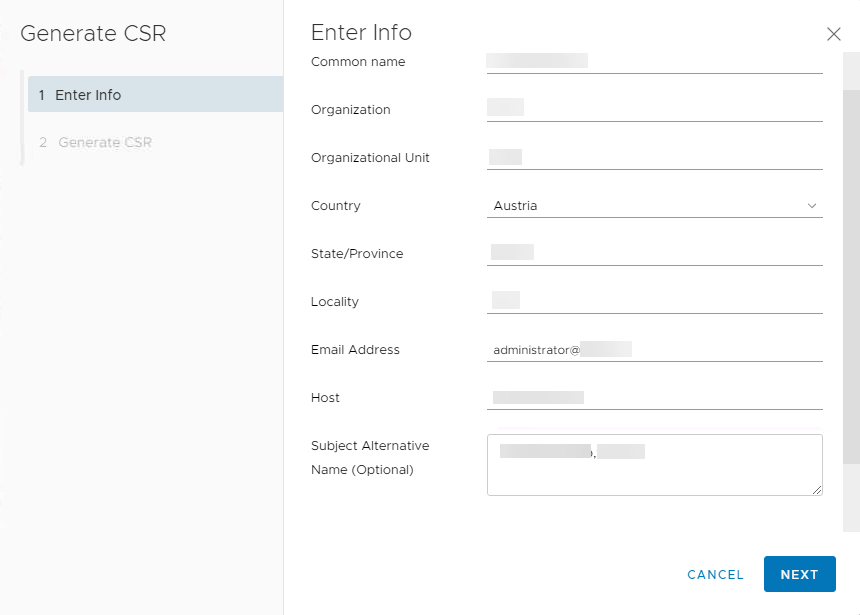
yes, I am using step-ca. FQDN is proper. I just replaced with test.local. email id is mandatory while generating csr for VMWare vCenter 7.0 but I am not sure why it is coming under subject alternative name. Please help.
@lukas2511 commented on GitHub (Apr 24, 2021):
I'm not sure. This is not a dehydrated issue as your signing request just lists that entry and dehydrated simply tells you it can't handle it. You'll need to find a way to fix your signing request or maybe just generate a normal certificate and try to install that into your vcenter instead of going the csr way?