mirror of
https://github.com/advplyr/audiobookshelf.git
synced 2026-09-02 00:27:19 +02:00
[Enhancement]: More manual control of Series #419
Closed
opened 2026-04-24 23:08:19 +02:00 by adam
·
10 comments
No Branch/Tag Specified
master
auth_sessions_enhancements
account_sessions_table
logout_all_devices
pw_change_invalidates_sessions
book_tags_genres_dedupe
episode_download_fallback
Issue-4540-SortBy-StartedDate-and-FinishedDate
episode_meta_tagging
fix_authorize_race_condition
redirect_transcode_requests
progress_updated_sort
fix_ereader_socket_event
fix_change_empty_root_password
fix_podcast_session_track_index
fix_set_token
session_modal_user
localize_durations
fix_oidc_create_user
jwt_auth_refactor
fix_scanner_deleting_single_file_books
fix_mediaprogress_updatedat_2
experimental_next_client
podcast_episode_duration
episode-timestamps-clickable
book_author_secondary_sort_title
podcast_useragents
pathexists_user_access
fix_pathexists_join
book_author_secondary_sort
clean_duplicate_mediaprogress
sanitize_html_description
trix_prevent_attachments
check_path_api_fix
fix_mediaprogress_updatedat
increase_express_json_limit
fix_dockerfile_nunicode
search_episodes
audiobook_tools_update
episode_secondary_sorts
hls_stream_url_update
new_session_track_endpoint
audiobook_tools_enhancements
watcher_rescans_update
player_track_tooltip
fix_exclude_prefixes_crash
socket_item_events
fix_podcast_episode_scanner_promise
new_stats_controller
count_cache_for_userpermissions
parsing-opf-v3
validate_migration_files
fix-quick-match-all-crash
fix-chapter-end-sleep-timer
stringify_sequelize_query
remove-col-ambiguity
fix_next_prev_edit_description
details_trim_whitespace
fix_content_url_basepath
fix_logger_fatal
progress_bar_visibility
batch-edit-populate-map-details
feed_generator_updates
bookmark-modal-updates
migrate-library-item-in-scanner
migrate-new-library-items
migrate-podcasts-new-library-item-2
migrate-podcasts-new-library-item
fix-remove-episode-from-playlist
playback-session-use-new-library-item
refactor-library-item
fix-heatmap-caption
feed-episodes-upsert
share-media-player-media-session-api
remove-old-playlist
remove_old_collection_object
plugin-implementation-demo
feed_migration
refactor-feeds-from-item
fix_remove_authors_no_books
v2.17.3-fk-constraints-migration
migrations-first-upgrade
sqlite_2
feature/nuxt-target-server
waveform
sqlite
playlists
video
v2.36.0
v2.35.1
v2.35.0
v2.34.0
v2.33.2
v2.33.1
v2.33.0
v2.32.1
v2.32.0
v2.31.0
v2.30.0
v2.29.0
v2.28.0
v2.27.0
v2.26.3
v2.26.2
v2.26.1
v2.26.0
v2.25.1
v2.25.0
v2.24.0
v2.23.0
v2.22.0
v2.21.0
v2.20.0
v2.19.5
v2.19.4
v2.19.3
v2.19.2
v2.19.1
v2.19.0
v2.18.1
v2.18.0
v2.17.7
v2.17.6
v2.17.5
v2.17.4
v2.17.3
v2.17.2
v2.17.1
v2.17.0
v2.16.2
v2.16.1
v2.16.0
v2.15.1
v2.15.0
v2.14.0
v2.13.4
v2.13.3
v2.13.2
v2.13.1
v2.13.0
v2.12.3
v2.12.2
v2.12.1
v2.12.0
v2.11.0
v2.10.1
v2.10.0
v2.9.0
v2.8.1
v2.8.0
v2.7.2
v2.7.1
v2.7.0
v2.6.0
v2.5.0
v2.4.4
v2.4.3
v2.4.2
v2.4.1
v2.4.0
v2.3.5
v2.3.4
v2.3.3
v2.3.2
v2.3.1
v2.3.0
v2.2.23
v2.2.22
v2.2.21
v2.2.20
v2.2.19
v2.2.18
v2.2.17
v2.2.16
v2.2.15
v2.2.14
v2.2.13
v2.2.12
v2.2.11
v2.2.10
v2.2.9
v2.2.8
v2.2.7
v2.2.6
v2.2.5
v2.2.4
v2.2.3
v2.2.2
v2.2.1
v2.2.0
v2.1.5
v2.1.4
v2.1.3
v2.1.2
v2.1.1
v2.1.0
v2.0.24
v2.0.23
v2.0.22
v2.0.21
v2.0.20
v2.0.19
v2.0.18
v2.0.17
v2.0.16
v2.0.15
v2.0.14
v2.0.13
v2.0.12
v2.0.11
v2.0.10
v2.0.9
v2.0.8
v2.0.7
v2.0.6
v2.0.5
v2.0.4
v2.0.3
v2.0.2
v2.0.1
v1.7.2
v1.7.1
v1.7.0
v1.6.0
v1.5.5
v1.5.0
v1.4.11
v1.4.9
v1.4.7
v1.4.6
v1.4.4
v1.4.2
v1.4.0
v1.4.1
v1.3.4
v1.3.3
v1.3.1
v1.2.8
v1.2.6
v1.2.5
v1.2.4
v1.2.1
v1.1.15
v1.1.14
v1.1.13
v1.1.12
v1.1.11
v1.1.10
v1.1.9
v1.1.8
v1.0.0
0.9.61-beta.0
0.9.61-beta
Labels
Clear labels
authentication
backlog
bug
chapter editor
config-issue
ebooks
encoding/embedding
enhancement
help wanted
listening sessions & progress
planned
possible plugin
progress sync
pull-request
sorting/filtering/searching
unable to reproduce
upload
users & permissions
waiting
Mirrored from GitHub Pull Request
No labels
enhancement
Milestone
No items
No Milestone
Projects
Clear projects
No projects
Assignees
 adam (Adam Melkus)
Clear assignees
adam (Adam Melkus)
No Assignees
Notifications
Due Date
No due date set.
Dependencies
No dependencies set.
Reference: starred/audiobookshelf#419
Reference in New Issue
Block a user
Blocking a user prevents them from interacting with repositories, such as opening or commenting on pull requests or issues. Learn more about blocking a user.
Originally created by @raviwarrier on GitHub (Jun 4, 2022).
Describe the feature/enhancement
I would like to have more control over the Series. The ability to add/remove/hide/unhide books from a series, and to be able to hide/unhide the entire series.
From the image above, one can see that I have only 1 book in that series (if they are actual book series - I don't think 10% Happier is a part of any series, but that's not the point) and it kinda looks stupid/incomplete to have a series with one book in it. I would like to hide the entire series in this example.
From the image above, one can see that one series is split into two automatically - the regular one and the abridged one (even though there's nothing in the ID3 to suggest that the book is abridged - I checked twice). I would like to move the books from the abridged series to the regular series (in two steps - add them to regular, remove them from abridged and remove the abridged series itself).
@hobesman commented on GitHub (Jun 4, 2022):
I'm not sure if this resolves your issue, but you can edit series info by clicking the pencil icon that appears when you hover over the cover art. From there you can add books to a second series, remove it from the first series, or remove it from a series altogether so that it's not part of that series, or any series at all.
If there are no books left in a series, the series won't show up.
Does that accomplish most of what you intended? Beyond the idea of showing which books are missing, is there something more you want to happen?
@raviwarrier commented on GitHub (Jun 4, 2022):
Dude, you are everywhere! :D
I guess, there's much I need to learn about ABS - all the nooks and crannies of where actions lie. :)
Yes, your suggestions did help me remove/add albums into series. Cheers.
But my suggestions would be to make things more intuitive and easy to understand.
For example, when I clicked on remove (after clicking on pencil) it said, are you sure you want to remove (and this will not delete the file, just remove from ABS). It wasn't clear what 'this' was - the book or the series? Made me think thrice before clicking on it... And the whole act of editing the series is a bit lengthy along with being un-intuitive.
Are you on the dev team or is this all from experience?
@raviwarrier commented on GitHub (Jun 4, 2022):
Here's what I mean by confusing:
Step 1 - Go to Series page and choose a series you want to edit.
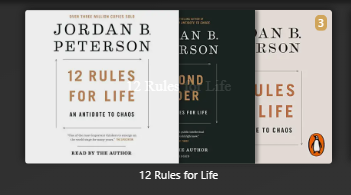
Step 2 - Click on the name of the series that appears to go into it.
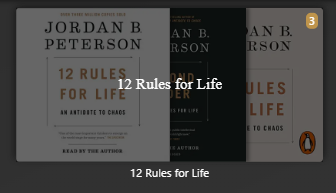
Step 3 - Well, there is no button to remove the series (or rename it or anything else)...

Step 4-minus - Hover over a book and click on the pencil icon (this needs to be done individually for each book in the series as the multi-select-edit doesn't have any remove option - see image below)
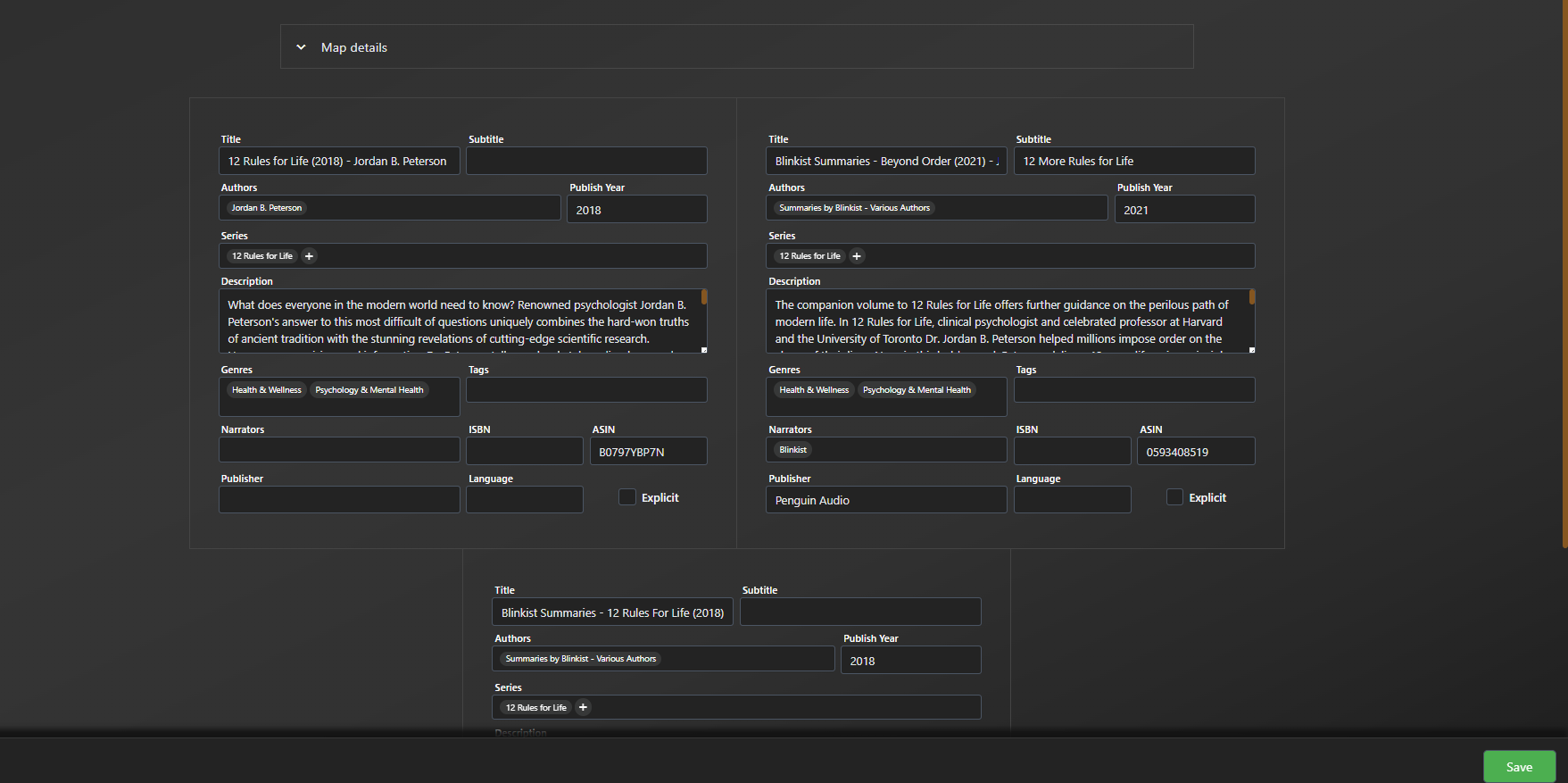
Step 4-plus - there is a delete button that appears when you select multiple files, but it's not clear if it deletes the albums from the series or the whole series. My guess is it removes the books, but that's not very clear if all books in the series is selected.

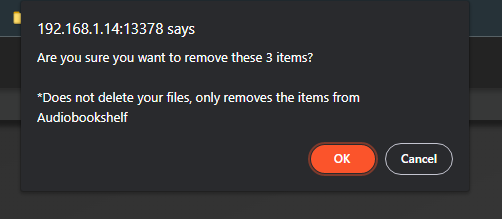
Step 5 - Make a risky guess on whether this means remove from series (what I intend) or remove from library (not what I intend and very bad if it happens). I guess this questions comes only the first time someone attempts this, but it's bad design. Changing the question to "Are you sure you want to remove these 3 times from the series?" just makes it a bit clear and less scary.
//
EDIT 2m later:
Pressing OK on that dialog, not only removed the book from the series, the series, but it also removed the books from the library.
This is absolutely not what should happen in a hierarchy of actions - if selected from library view - remove from library; if selected from series or collection view - remove ONLY from series or collection.
//
Step 6 - Press 'yes' (after the first-time scare).
All this is to remove a 'series'. Just like there is a select radio button for the book inside the series, it would be nice to have a select radio button for the series to directly edit/delete it from the series page itself.
PS: I could really be doing this wrong (since I am still learning to use ABS). So, if I am, please correct me and guide to a quicker way of doing this. Cheers.
PPS: I don't know why step 5 became bold after adding the edit.
@raviwarrier commented on GitHub (Jun 4, 2022):
And, so to add the books back to the library, I started the scan. It did add the 3 books to the library, but it also recreated the series with the 3 books after the scan.
@hobesman commented on GitHub (Jun 4, 2022):
Not a dev, just enjoy seeing the project progress.
After you click the pencil icon to see all the metadata, hover over the series name and another pencil appears, and an x. Click pencil to renumber it in that series, and x to remove it from that series. And + to add it to another series. Then click save.
"Remove" means remove the book's record from your library, not just the series.
@advplyr commented on GitHub (Jun 4, 2022):
I think to most people the remove action is clear as to what is happening. If you have a specific suggestion on what text to add and where to make it more clear then definitely share that.
I recommend clicking around and playing with abs for a while and I think it will make more sense why we made the decisions we made so far. Definitely a ways to go though.
As far as hiding series from the series page I don't see a use-case for this really. Just remove the series if you don't want it to show in the series page.
@raviwarrier commented on GitHub (Jun 4, 2022):
Just add the specifics:
If removing from the library: Are you sure you want to remove X books from your library?
If removing from series or collection: Are you sure you want to remove X books from "series name" series/"collection name" collection?
@raviwarrier commented on GitHub (Jun 4, 2022):
Eventually, that's what I did. But it's painful/effortful to do that individually for each book. I had created a series (Very Short Introductions) with 60 books and I had to individually select the series name for each of them.
@advplyr commented on GitHub (Jun 4, 2022):
Using the "Map details" menu you can apply the update to all books at once, no need to update each one individually. That's what the batch editor is for.
@raviwarrier commented on GitHub (Jun 4, 2022):
I am super impressed. Will try it out. If you guys ever come out with a manual, I am sure it's gonna be a book by itself. That was a compliment on how many good features you have (sometimes people don't understand when I give a compliment, hence clarifying).