[Enhancement]: [Android] Album and chapter on Always-on display #336

Open
opened 2026-04-24 23:17:00 +02:00 by adam · 4 comments
Owner

Originally created by @JakobTischler on GitHub (Nov 7, 2022).

Is your feature request related to a problem? Please describe.

No problem, just an enhancement

Describe the solution you'd like

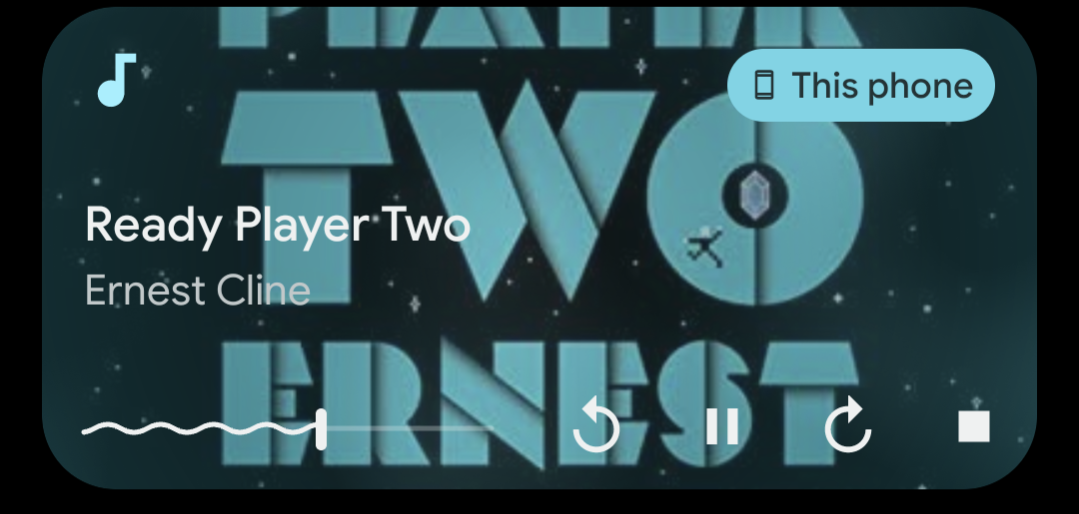
Using Android's always-on display, you can see the currently playing media's metadata. ABS only shows the album title, which could be improved by also showing the current chapter. I've only tested audiobooks, not sure what's displayed when listening to podcasts, but I assume the podcast name.

Describe alternatives you've considered

Status quo

Additional context

I've looked at what other audio apps do:

Audiobookshelf-Always-on-display

There is a "main" element (bottom line, with app icon) and a "secondary" element (upper line, larger font size). Audible shows the album in the secondary line, and the chapter title in the main line. Pocket Casts, on the other hand, shows the album in the main line, and the episode title in the secondary line.

This makes more sense to me, as the podcast title is more used as a label, while the episode, with the larger size, being the important part of the notification, is the information you see first.

Originally created by @JakobTischler on GitHub (Nov 7, 2022). ### Is your feature request related to a problem? Please describe. No problem, just an enhancement ### Describe the solution you'd like Using Android's always-on display, you can see the currently playing media's metadata. ABS only shows the album title, which could be improved by also showing the current chapter. I've only tested audiobooks, not sure what's displayed when listening to podcasts, but I assume the podcast name. ### Describe alternatives you've considered Status quo ### Additional context I've looked at what other audio apps do: ![Audiobookshelf-Always-on-display](https://user-images.githubusercontent.com/748857/200382248-49f47397-80ca-4fbd-baca-e118ea890e4b.jpg) There is a "main" element (bottom line, with app icon) and a "secondary" element (upper line, larger font size). Audible shows the album in the secondary line, and the chapter title in the main line. Pocket Casts, on the other hand, shows the album in the main line, and the episode title in the secondary line. This makes more sense to me, as the podcast title is more used as a label, while the episode, with the larger size, being the important part of the notification, is the information you see first.
adam added the enhancement label 2026-04-24 23:17:00 +02:00
Author
Owner

@advplyr commented on GitHub (Dec 10, 2022):

I just figured out how to control that text. It looks like the standard is showing the Track title up top and the Artist below.

For podcasts we can show the episode title up top and the podcast name below.
For audiobooks we can show the chapter title up top and the book title below.

Is that what you were thinking?

@advplyr commented on GitHub (Dec 10, 2022): I just figured out how to control that text. It looks like the standard is showing the Track title up top and the Artist below. For podcasts we can show the episode title up top and the podcast name below. For audiobooks we can show the chapter title up top and the book title below. Is that what you were thinking?
Author
Owner

@advplyr commented on GitHub (Dec 13, 2022):

In v0.9.60-beta it shows 2 lines but currently showing Title/Author for audiobooks instead of chapter. Will leave this open until that is implemented.

@advplyr commented on GitHub (Dec 13, 2022): In v0.9.60-beta it shows 2 lines but currently showing Title/Author for audiobooks instead of chapter. Will leave this open until that is implemented.
Author
Owner

@JakobTischler commented on GitHub (Dec 14, 2022):

(I really have to check my GitHub notifications more often...)

For audiobooks we can show the chapter title up top and the book title below.

Is that what you were thinking?

Yes, exactly that. It's probably a bit subjective, but I think at that point the track is the more important information.

@JakobTischler commented on GitHub (Dec 14, 2022): _(I really have to check my GitHub notifications more often...)_ > For audiobooks we can show the chapter title up top and the book title below. > > Is that what you were thinking? Yes, exactly that. It's probably a bit subjective, but I think at that point the track is the more important information.
Author
Owner

@JakobTischler commented on GitHub (Dec 14, 2022):

One thing I've noticed with v0.9.60: My launcher's media widget only displays the album, not the artist. At the same time, Android's own media notification, as well as the always-on-screen, display the data correctly:

Media widget:
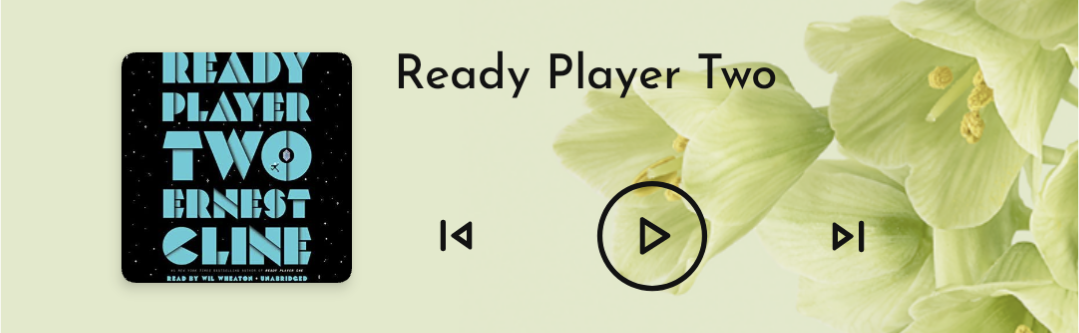
Media Widget

Media notification:
Media Notification

The widget itself is able to show the secondary information, as for example with Audible:
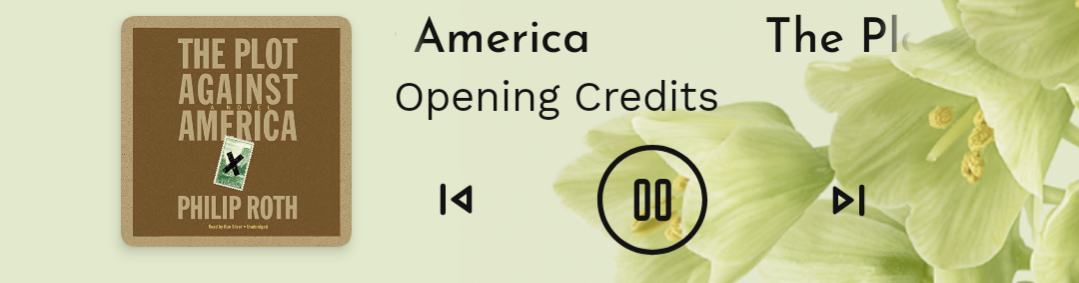
image

I'm not sure if this is a problem with ABS or with the launcher, so could you tell me which metadata tags you're using at the moment so I can double check with the launcher devs? Thanks

@JakobTischler commented on GitHub (Dec 14, 2022): One thing I've noticed with v0.9.60: My launcher's media widget only displays the album, not the artist. At the same time, Android's own media notification, as well as the always-on-screen, display the data correctly: Media widget: ![Media Widget](https://user-images.githubusercontent.com/748857/207661951-5d7c483f-3122-4df9-85b3-345fa18943f2.png) Media notification: ![Media Notification](https://user-images.githubusercontent.com/748857/207662040-57223982-7cf1-456a-98cc-bc115b7a4cf0.png) The widget itself is able to show the secondary information, as for example with Audible: ![image](https://user-images.githubusercontent.com/748857/207662222-5d8da115-f3aa-4231-9afd-df88c59755cf.png) I'm not sure if this is a problem with ABS or with the launcher, so could you tell me which metadata tags you're using at the moment so I can double check with the launcher devs? Thanks
Sign in to join this conversation.
1 Participants
Notifications
Due Date
No due date set.
Dependencies

No dependencies set.

Reference: starred/audiobookshelf-app#336