How to run after installation of mac OS ? #299

Closed
opened 2025-12-29 00:23:37 +01:00 by adam · 5 comments
Owner

Originally created by @Subhankar2000 on GitHub (Jan 3, 2022).

I have followed all steps for catalina and big Sur installer images, it takes proper data to download and fill the drive, but upon starting the same container, there is no option to boot, there is a new entry 'mac OS Base System' that's it, opening it the same installer is getting up. There is also a separate entry of 'mac OS installer'. How to boot ? Or can you give some screenshots ? I saw your youtube video but, it also did not show what and how to do after installation.

Originally created by @Subhankar2000 on GitHub (Jan 3, 2022). I have followed all steps for catalina and big Sur installer images, it takes proper data to download and fill the drive, but upon starting the same container, there is no option to boot, there is a new entry 'mac OS Base System' that's it, opening it the same installer is getting up. There is also a separate entry of 'mac OS installer'. How to boot ? Or can you give some screenshots ? I saw your youtube video but, it also did not show what and how to do after installation.
adam closed this issue 2025-12-29 00:23:37 +01:00
Author
Owner

@black7375 commented on GitHub (Jan 6, 2022):

Check out next section
https://github.com/sickcodes/Docker-OSX#start-the-same-container-later-persistent-disk

@black7375 commented on GitHub (Jan 6, 2022): Check out next section https://github.com/sickcodes/Docker-OSX#start-the-same-container-later-persistent-disk
Author
Owner

@Subhankar2000 commented on GitHub (Jan 6, 2022):

Check out next section https://github.com/sickcodes/Docker-OSX#start-the-same-container-later-persistent-disk

I did, but I am still getting an installer only, read my issue again, I am having the macOS installer plus a new disk 'macOS base system' which if I go into it, it is again showing me all the options to re-install/time-machine/..., also if I see though the disk manager, I can see my previously erased and renamed drive, so I am not in a fresh start, but the old one is not booting also. How to boot using that ?

@Subhankar2000 commented on GitHub (Jan 6, 2022): > Check out next section https://github.com/sickcodes/Docker-OSX#start-the-same-container-later-persistent-disk I did, but I am still getting an installer only, read my issue again, I am having the macOS installer plus a new disk 'macOS base system' which if I go into it, it is again showing me all the options to re-install/time-machine/..., also if I see though the disk manager, I can see my previously erased and renamed drive, so I am not in a fresh start, but the old one is not booting also. How to boot using that ?
Author
Owner

@black7375 commented on GitHub (Jan 6, 2022):

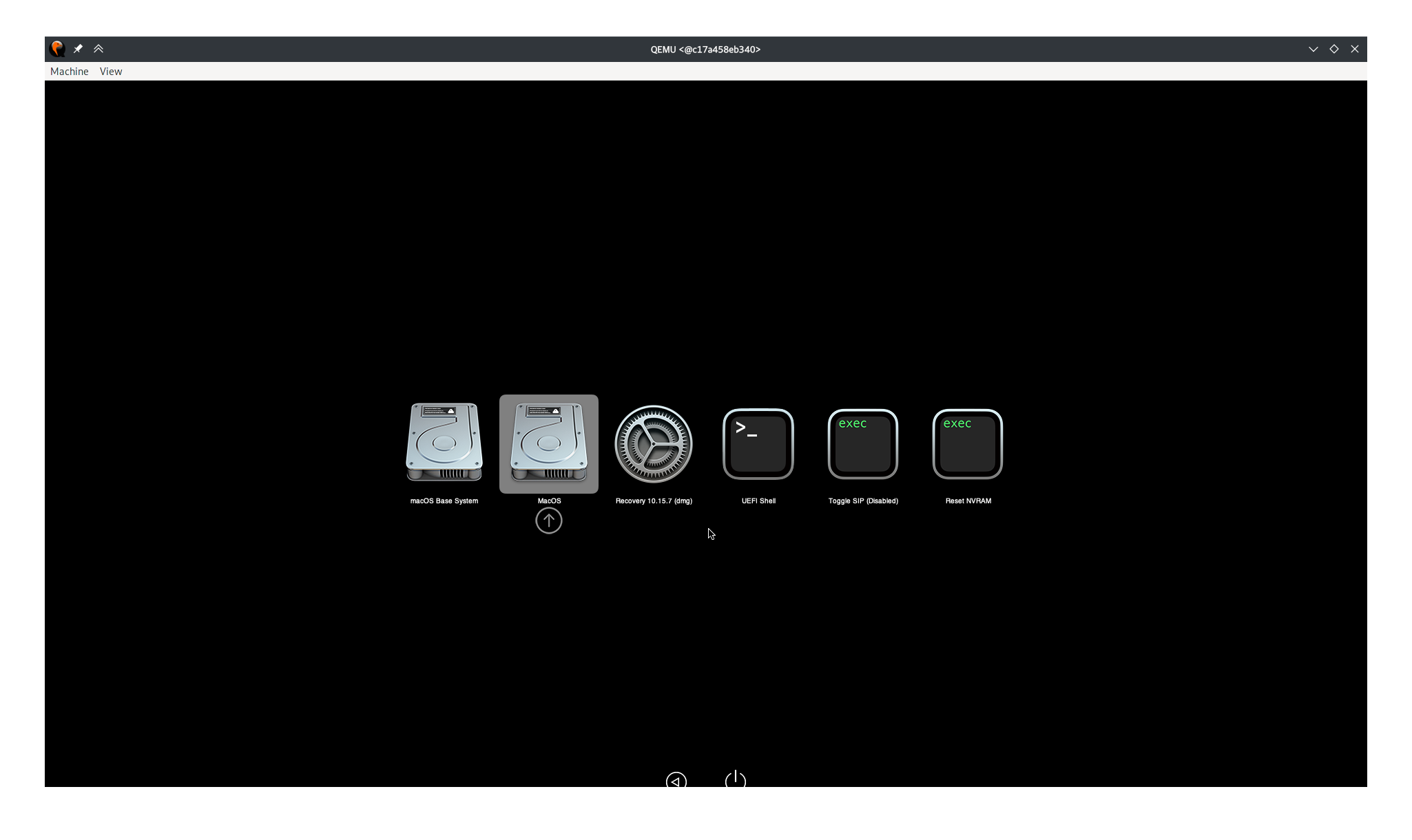
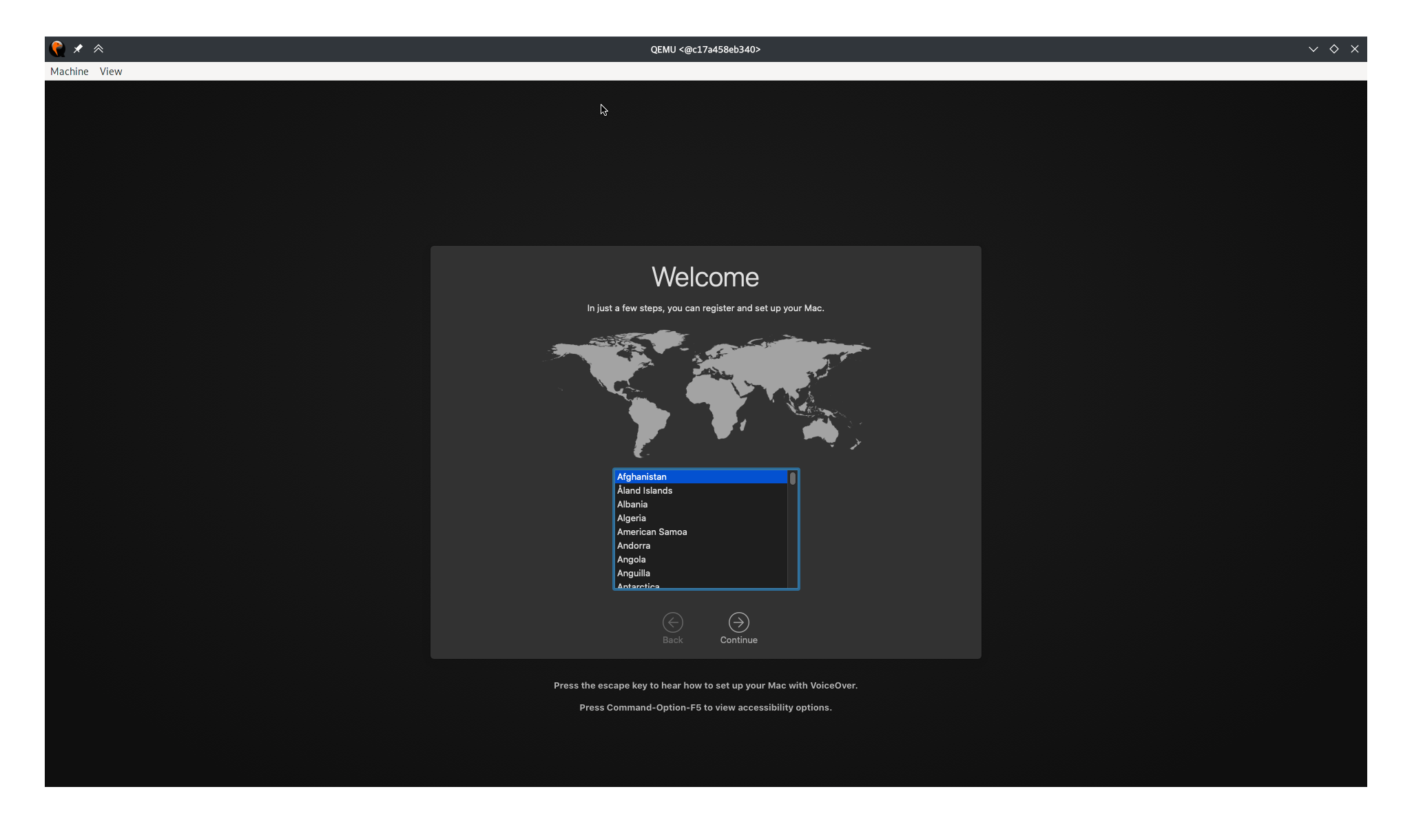
Did you run reinstall after initializing the disk?

Then the selection screen appears as follows.
image
image

@black7375 commented on GitHub (Jan 6, 2022): Did you run `reinstall` after initializing the disk? Then the selection screen appears as follows. ![image](https://user-images.githubusercontent.com/25581533/148341391-267918d9-9e36-4c1a-9059-be5eb2bfcd51.png) ![image](https://user-images.githubusercontent.com/25581533/148341445-26cc84ad-b75d-4f60-9962-1ef33f016746.png)
Author
Owner

@Subhankar2000 commented on GitHub (Jan 6, 2022):

Did you run reinstall after initializing the disk?

Then the selection screen appears as follows. image image

Yes I did, but where you are getting the labelled disk to start, I am still getting the installer only and the base system, I saw this on a similar website but for me it is not working, I'll post a screenshot soon.

@Subhankar2000 commented on GitHub (Jan 6, 2022): > Did you run `reinstall` after initializing the disk? > > Then the selection screen appears as follows. ![image](https://user-images.githubusercontent.com/25581533/148341391-267918d9-9e36-4c1a-9059-be5eb2bfcd51.png) ![image](https://user-images.githubusercontent.com/25581533/148341445-26cc84ad-b75d-4f60-9962-1ef33f016746.png) Yes I did, but where you are getting the labelled disk to start, I am still getting the installer only and the base system, I saw this on a similar website but for me it is not working, I'll post a screenshot soon.
Author
Owner

@Subhankar2000 commented on GitHub (Jan 6, 2022):

I did it, I was having problems with unmet dependencies while I was trying to install some required packages from qemu qemu-kvm libvirt-clients libvirt-daemon-system bridge-utils virt-manager libguestfs-tools, I fixed it with aptitude and it worked after install.
I am closing this issue with this comment, thank you.

@Subhankar2000 commented on GitHub (Jan 6, 2022): I did it, I was having problems with unmet dependencies while I was trying to install some required packages from qemu qemu-kvm libvirt-clients libvirt-daemon-system bridge-utils virt-manager libguestfs-tools, I fixed it with aptitude and it worked after install. I am closing this issue with this comment, thank you.
Sign in to join this conversation.
1 Participants
Notifications
Due Date
No due date set.
Dependencies

No dependencies set.

Reference: starred/Docker-OSX#299