Unfortunately doesn't work on MBP #126

Closed
opened 2025-12-30 01:33:49 +01:00 by adam · 9 comments
Owner

Originally created by @patryk-jason on GitHub (Mar 18, 2021).

Since MacOS showed up a warning (AlDente will damage your computer. You should move it to the trash) Aldente doesn't work anymore. Using new version 2.1.2 on MBP M1 2020. Battery keep charging when limit is set up.

Originally created by @patryk-jason on GitHub (Mar 18, 2021). Since MacOS showed up a warning (AlDente will damage your computer. You should move it to the trash) Aldente doesn't work anymore. Using new version 2.1.2 on MBP M1 2020. Battery keep charging when limit is set up.
adam closed this issue 2025-12-30 01:33:49 +01:00
Author
Owner

@elibooklover commented on GitHub (Mar 18, 2021):

I am having the same issue on my MBA M1.

@elibooklover commented on GitHub (Mar 18, 2021): I am having the same issue on my MBA M1.
Author
Owner

@MatthiasKerbl commented on GitHub (Mar 18, 2021):

Hi,
please try the following steps:

  1. Set Max. Charge to 100% and wait 30 seconds.
  2. Quit AlDente and delete the program file.
  3. Go in Finder to Macintosh HD/Library/LaunchDaemons and delete “com.davidwernhart.Helper.plist”.
  4. Go to Macintosh HD/Library/PrivilegedHelperTools and delete “com.davidwernhart.Helper”.
  5. Restart your MacBook.
  6. Download and install AlDente again.
  7. Restart your MacBook again.

Hope this helps,
Matthias

@MatthiasKerbl commented on GitHub (Mar 18, 2021): Hi, please try the following steps: 1. Set Max. Charge to 100% and wait 30 seconds. 2. Quit AlDente and delete the program file. 3. Go in Finder to Macintosh HD/Library/LaunchDaemons and delete “com.davidwernhart.Helper.plist”. 4. Go to Macintosh HD/Library/PrivilegedHelperTools and delete “com.davidwernhart.Helper”. 5. Restart your MacBook. 6. Download and install AlDente again. 7. Restart your MacBook again. Hope this helps, Matthias
Author
Owner

@longalong commented on GitHub (Mar 21, 2021):

Hi,
please try the following steps:

  1. Set Max. Charge to 100% and wait 30 seconds.
  2. Quit AlDente and delete the program file.
  3. Go in Finder to Macintosh HD/Library/LaunchDaemons and delete “com.davidwernhart.Helper.plist”.
  4. Go to Macintosh HD/Library/PrivilegedHelperTools and delete “com.davidwernhart.Helper”.
  5. Restart your MacBook.
  6. Download and install AlDente again.
  7. Restart your MacBook again.

Hope this helps,
Matthias

I am having the same issue on my MBA M1. I have tried these steps for many times, it always show “helper V12 not found” since reboot my MBA. it didnot work on bigsur 11.2.3

@longalong commented on GitHub (Mar 21, 2021): > Hi, > please try the following steps: > > 1. Set Max. Charge to 100% and wait 30 seconds. > 2. Quit AlDente and delete the program file. > 3. Go in Finder to Macintosh HD/Library/LaunchDaemons and delete “com.davidwernhart.Helper.plist”. > 4. Go to Macintosh HD/Library/PrivilegedHelperTools and delete “com.davidwernhart.Helper”. > 5. Restart your MacBook. > 6. Download and install AlDente again. > 7. Restart your MacBook again. > > Hope this helps, > Matthias I am having the same issue on my MBA M1. I have tried these steps for many times, it always show “helper V12 not found” since reboot my MBA. it didnot work on bigsur 11.2.3
Author
Owner

@patryk-jason commented on GitHub (Mar 22, 2021):

Hi,
please try the following steps:

  1. Set Max. Charge to 100% and wait 30 seconds.
  2. Quit AlDente and delete the program file.
  3. Go in Finder to Macintosh HD/Library/LaunchDaemons and delete “com.davidwernhart.Helper.plist”.
  4. Go to Macintosh HD/Library/PrivilegedHelperTools and delete “com.davidwernhart.Helper”.
  5. Restart your MacBook.
  6. Download and install AlDente again.
  7. Restart your MacBook again.

Hope this helps,
Matthias

I went through all steps. I didn't have any files in PrivilegedHelperTools folder.
It is working now 🙂

@patryk-jason commented on GitHub (Mar 22, 2021): > Hi, > please try the following steps: > > 1. Set Max. Charge to 100% and wait 30 seconds. > 2. Quit AlDente and delete the program file. > 3. Go in Finder to Macintosh HD/Library/LaunchDaemons and delete “com.davidwernhart.Helper.plist”. > 4. Go to Macintosh HD/Library/PrivilegedHelperTools and delete “com.davidwernhart.Helper”. > 5. Restart your MacBook. > 6. Download and install AlDente again. > 7. Restart your MacBook again. > > Hope this helps, > Matthias I went through all steps. I didn't have any files in PrivilegedHelperTools folder. It is working now 🙂
Author
Owner

@MatthiasKerbl commented on GitHub (Mar 22, 2021):

Hi,
please try the following steps:

  1. Set Max. Charge to 100% and wait 30 seconds.
  2. Quit AlDente and delete the program file.
  3. Go in Finder to Macintosh HD/Library/LaunchDaemons and delete “com.davidwernhart.Helper.plist”.
  4. Go to Macintosh HD/Library/PrivilegedHelperTools and delete “com.davidwernhart.Helper”.
  5. Restart your MacBook.
  6. Download and install AlDente again.
  7. Restart your MacBook again.

Hope this helps,
Matthias

I went through all steps. I didn't have any files in PrivilegedHelperTools folder.
It is working now 🙂

I am glad it helped and thanks for the feedback.

@MatthiasKerbl commented on GitHub (Mar 22, 2021): > > Hi, > > please try the following steps: > > > > 1. Set Max. Charge to 100% and wait 30 seconds. > > 2. Quit AlDente and delete the program file. > > 3. Go in Finder to Macintosh HD/Library/LaunchDaemons and delete “com.davidwernhart.Helper.plist”. > > 4. Go to Macintosh HD/Library/PrivilegedHelperTools and delete “com.davidwernhart.Helper”. > > 5. Restart your MacBook. > > 6. Download and install AlDente again. > > 7. Restart your MacBook again. > > > > Hope this helps, > > Matthias > > I went through all steps. I didn't have any files in PrivilegedHelperTools folder. > It is working now 🙂 I am glad it helped and thanks for the feedback.
Author
Owner

@longalong commented on GitHub (Apr 1, 2021):

with 2.2 version。I am having the same issue on my MBA M1. I have tried these steps for many times, it always show “helper V12 not found” since reboot my MBA. it didnot work on bigsur 11.2.3

@longalong commented on GitHub (Apr 1, 2021): with 2.2 version。I am having the same issue on my MBA M1. I have tried these steps for many times, it always show “helper V12 not found” since reboot my MBA. it didnot work on bigsur 11.2.3
Author
Owner

@FT180222 commented on GitHub (May 4, 2021):

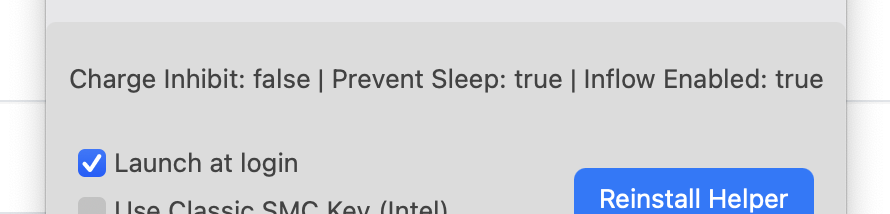
sudo launchctl load -w /Library/LaunchDaemons/com.davidwernhart.Helper.plist 终端输入这个完美解决。
image

@FT180222 commented on GitHub (May 4, 2021): sudo launchctl load -w /Library/LaunchDaemons/com.davidwernhart.Helper.plist 终端输入这个完美解决。 ![image](https://user-images.githubusercontent.com/82929552/116952059-49fbcd00-acbc-11eb-859f-5d4eb725c9c9.png)
Author
Owner

@MatthiasKerbl commented on GitHub (May 4, 2021):

sudo launchctl load -w /Library/LaunchDaemons/com.davidwernhart.Helper.plist 终端输入这个完美解决。
image

Hi @FT180222,
thanks for this suggestion.

@MatthiasKerbl commented on GitHub (May 4, 2021): > sudo launchctl load -w /Library/LaunchDaemons/com.davidwernhart.Helper.plist 终端输入这个完美解决。 > ![image](https://user-images.githubusercontent.com/82929552/116952059-49fbcd00-acbc-11eb-859f-5d4eb725c9c9.png) Hi @FT180222, thanks for this suggestion.
Author
Owner

@MatthiasKerbl commented on GitHub (Jul 5, 2021):

Hi @patryk-jason ,

We just released a new version of AlDente which should solve the problem you encountered.
You can download the new version here: https://github.com/davidwernhart/AlDente/releases
Sorry, it took so long but I hope you like the new version.

Kind regards,

Matthias

@MatthiasKerbl commented on GitHub (Jul 5, 2021): Hi @patryk-jason , We just released a new version of AlDente which should solve the problem you encountered. You can download the new version here: https://github.com/davidwernhart/AlDente/releases Sorry, it took so long but I hope you like the new version. Kind regards, Matthias
Sign in to join this conversation.
1 Participants
Notifications
Due Date
No due date set.
Dependencies

No dependencies set.

Reference: starred/AlDente-Battery_Care_and_Monitoring#126