mirror of
https://github.com/AppHouseKitchen/AlDente-Battery_Care_and_Monitoring.git
synced 2026-08-24 20:34:06 +02:00
Latest Big Sur issues #113
Assignees
 adam (Adam Melkus)
Clear assignees
adam (Adam Melkus)
No Assignees
Notifications
Due Date
No due date set.
Dependencies
No dependencies set.
Reference: starred/AlDente-Battery_Care_and_Monitoring#113
Reference in New Issue
Block a user
Originally created by @Limeybastid on GitHub (Mar 10, 2021).
I’m not sure if it’s related to Al Dente but I did quit the app but alas not properly and update on my M1 failed just now.
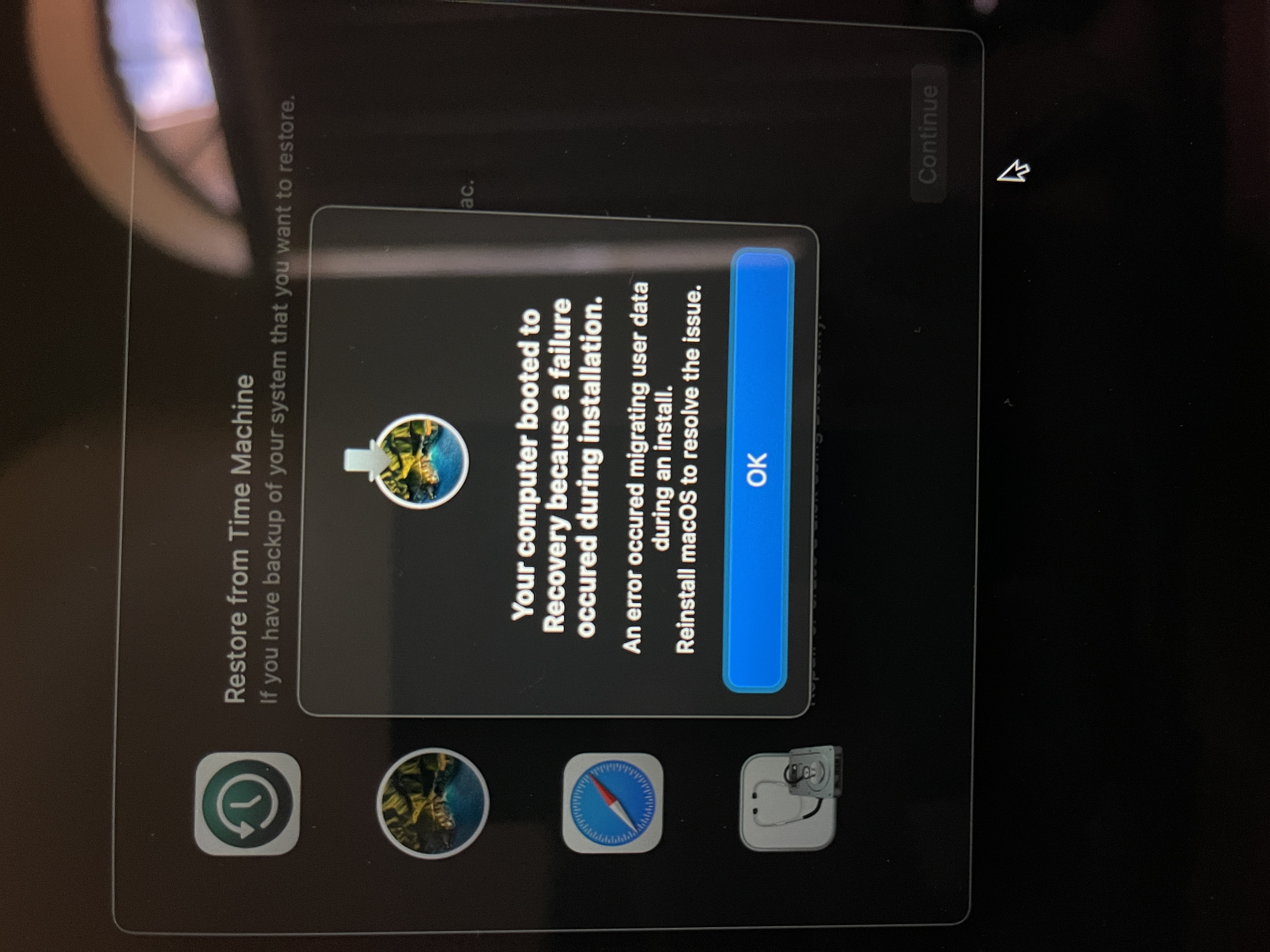
just to clarify , I used the slider to set battery to 100%, then quit app. Then closed lid of MacBook then opened lid. Done this while update was downloading and not installing.
@MatthiasKerbl commented on GitHub (Mar 10, 2021):
Hi @Limeybastid,
I don't know either if AlDente has anything to do with your issue. However, if you want to deinstall AlDente completely you have to follow these steps: Set Max Battery Charge to 100% and wait 30 seconds, quit the app, delete the app file, turn off your MacBook and close the lid for at least 30 seconds, restart. Afterward, AlDente is completely removed and should not interfere with anything else.
@Limeybastid commented on GitHub (Mar 10, 2021):
Thanks for the clarification.
On the recovery screen, I simply restarted and it all worked. Meaning I didn't have to restore Big Sur all over. But upon boot up I was getting pop up about Al Dente which has been discussed here and resolved in the latest update .
Thanks.
@MatthiasKerbl commented on GitHub (Mar 10, 2021):
I am glad you could solve your issue and the new AlDente is working fine. :)